Appearance
GraphQL Overview
GraphQL is a query language and runtime for APIs where the client asks for exactly the fields it needs. Instead of calling multiple endpoints, the app sends one structured query and the server returns a JSON object that mirrors that query shape.
In WorkoutKit, GraphQL is used to discover workouts and retrieve the full session payload required to launch iOS or Android SDK screens.
GraphQL responses are returned under a top-level data key, and execution issues are returned under errors when applicable.
Each B2B integration uses client-specific endpoints supplied by the WorkoutKit team. This documentation focuses on the shared contract and query patterns rather than publishing a single global GraphQL hostname.
How it works in WorkoutKit
- Query list endpoints to display workout candidates.
- Query workout details by ID.
- Query session content by workout ID before SDK launch.
Because publicWorkoutSession is polymorphic, the response can resolve to different concrete types. In practice, your client branches its launch logic between classic and video sessions.
Session type resolution
WorkoutBlockSessionfor classic workoutsWorkoutVideoSessionfor streaming video workouts
How to consume the schema
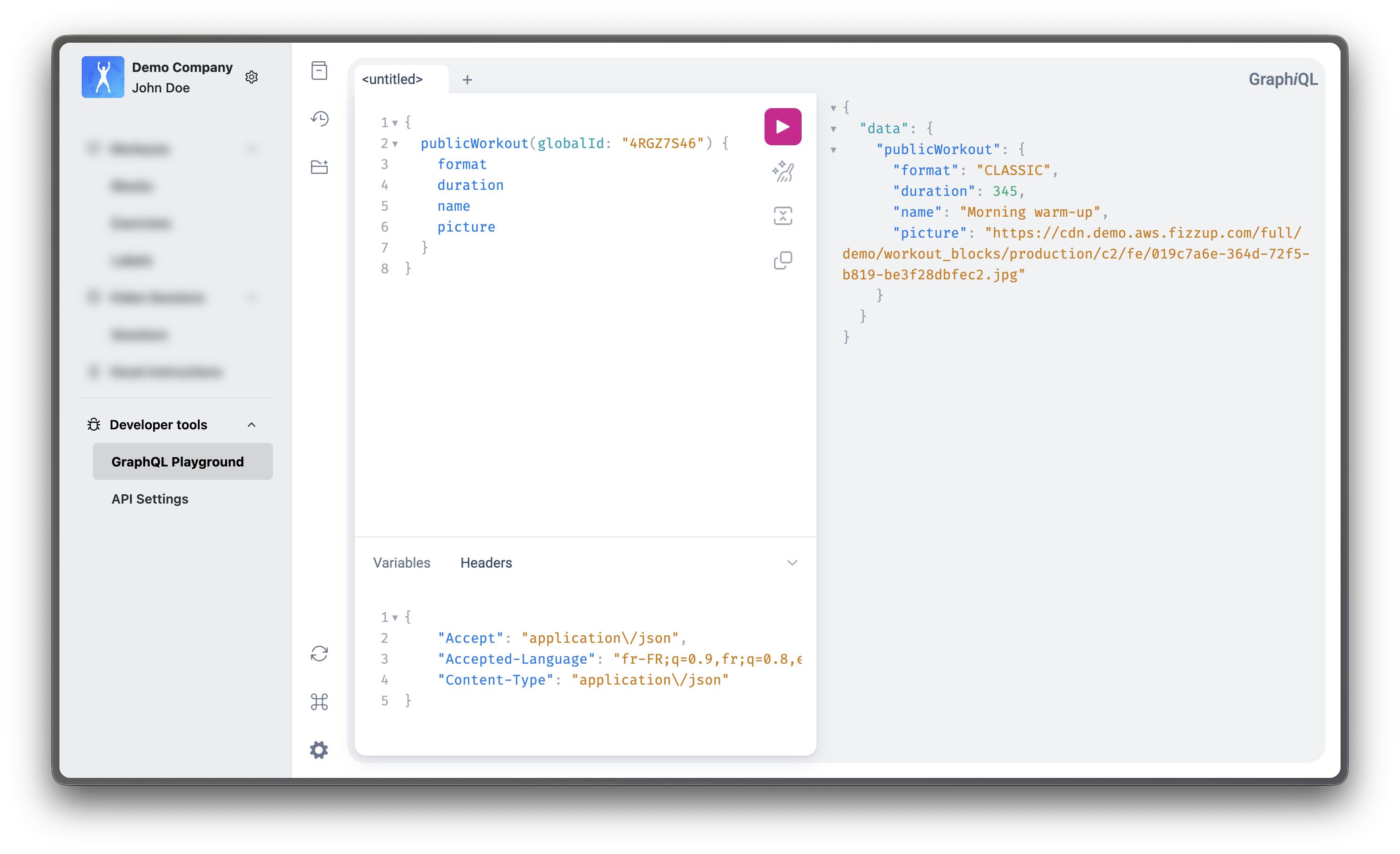
The B2B Admin Console includes a built-in GraphQL Playground. This is the recommended way to explore the schema, inspect fields and types, and test queries before implementing them in your app backend.
If you need full introspection outside the Playground, an additional HTTP authorization header is required. In client environments that expose this capability, that header is typically X-Developer-Authorization-Key. The easiest way to retrieve the expected value is through the Admin Console API settings provided to your team.
Typical usage flow:
- Open
Developer tools > GraphQL Playgroundin the Admin Console. - Start from a root query (
publicWorkout,publicWorkouts,publicWorkoutSession). - Expand types and fields in the Playground docs explorer.
- Run a query and verify the returned payload shape before integrating it in your SDK launch flow.
- In production, fetch the final
publicWorkoutSessionpayload close to workout launch so the accompanyingWorkoutKitTokenremains fresh.
The schema is versioned, and breaking changes are monitored internally with Apollo Studio.
Side-by-side example
gql
query GetSessionContent($id: ID!) {
  publicWorkoutSession(
    globalId: $id,
    configuration: { difficulty: EASY }
  ) {
    __typename
    ... on WorkoutBlockSession {
      id: globalId
      name
      duration
      sections {
        id
        name
        type
      }
    }
    ... on WorkoutVideoSession {
      id
      name
      duration
      video {
        url
      }
    }
  }
}
json
{
  "data": {
    "publicWorkoutSession": {
      "__typename": "WorkoutBlockSession",
      "id": "wrk_123",
      "name": "Core Blast",
      "duration": 1200,
      "sections": [
        {
          "id": "sec_1",
          "name": "Warm-up",
          "type": "WARMUP"
        },
        {
          "id": "sec_2",
          "name": "Main Set",
          "type": "WORK"
        }
      ]
    }
  }
}
This overview is based on the sample query definitions from Workout.graphql (iOS sample app).